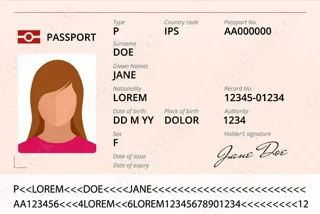
Scan it. Don't type it.

Passports from any country, Emirates ID, driving licences front and back, and the Mulkiya of your cars. Point a phone at the document and the details fill themselves in.

What DECK reads

Every field, read for you.

Names, numbers, nationalities and every date go straight into the rental. Nobody types a passport number again, and nobody gets one wrong.

On a computer

One QR code. Then keep scanning.

On a computer, DECK shows a QR code. Scan it once with a phone and that phone becomes your scanner, document after document, without scanning the code again.

  • Scan the code once. The phone stays connected for the next document and the next customer.
  • The photo takes itself. Hold the document still inside the frame. If it cannot lock on, a button appears.
  • On a phone or a tablet, DECK opens its own camera. No QR code needed.
  • Already have a photo? Upload the file instead, like one the customer sent on WhatsApp.

Checked

Checked before it's saved.

After every scan you see what was read and confirm it. Behind that, DECK checks the documents against each other and against the rental.

  • Same person? The names and the dates of birth on the passport and the licence have to match.
  • Signs of tampering. The strip on a passport is checked against its printed page.
  • Valid for the whole rental. An expired document, or one that runs out before the car is due back, stops the rental.
  • Scan once. The documents stay on the customer's file for the next rental.

Your fleet

Add a car from its Mulkiya.

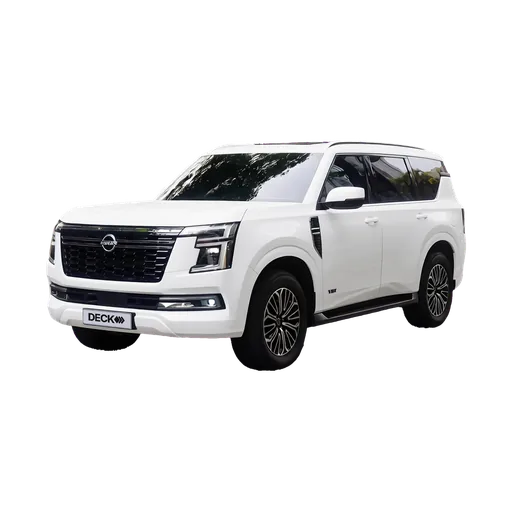
Scan the registration card and the car fills itself in. The photo comes with the model, so every car looks like itself from the first day. The fleet.

  • Plate, make, model and year, straight from the card.
  • Both expiry dates. Registration and insurance, on every car from day one.
  • The photo comes with the model. 497 models in the catalog, in their own colours.

Questions owners ask.

Does the customer scan their own documents?
No, your staff does. On a computer, scan one QR code with a phone and keep scanning on it. On a phone or a tablet, DECK opens its own camera.
Which documents can DECK read?
Passports from any country, Emirates ID, driving licences front and back, and the Mulkiya of your cars.
Can we use a photo the customer sent us?
Yes. Choose Upload a file instead of scanning, and DECK reads the photo the same way.
What if the photo is not clear?
The phone waits until the document is still inside the frame before it takes the photo. If it cannot lock on, a button lets you take it yourself.
What if a document has expired?
DECK stops the rental if the ID or the licence has expired, or if the licence runs out before the car is due back.
Do I scan the same customer again next time?
No. The details stay on the customer's file, so the next rental starts with them already there.

Nothing slips

Open the demo and run one rental.